CatiaMenuWin32
Stop copy-pasting scripts. Click a button.
CatiaMenuWin32 is a fast, native Windows application that syncs Python scripts directly from GitHub and presents them as one-click buttons — organised by tab, always up to date, always ready to run.
Built primarily for CATIA V5 engineers running PyCATIA automation scripts, but equally useful as a general-purpose Python script launcher or macro manager for any application that exposes a Python API. Point it at any GitHub repository or local folder of .py files and it works the same way.
Download for Windows 10/11 View on GitHub
What It Does
- Syncs scripts from GitHub — connects to KaiUR/Pycatia_Scripts on startup and keeps your local cache up to date
- One click to run — every script is a button; click it and Python runs the script immediately
- No setup per script — no manual path configuration, no copy-pasting, no CATIA macro editor
- Works offline — scripts load from local cache immediately even without an internet connection
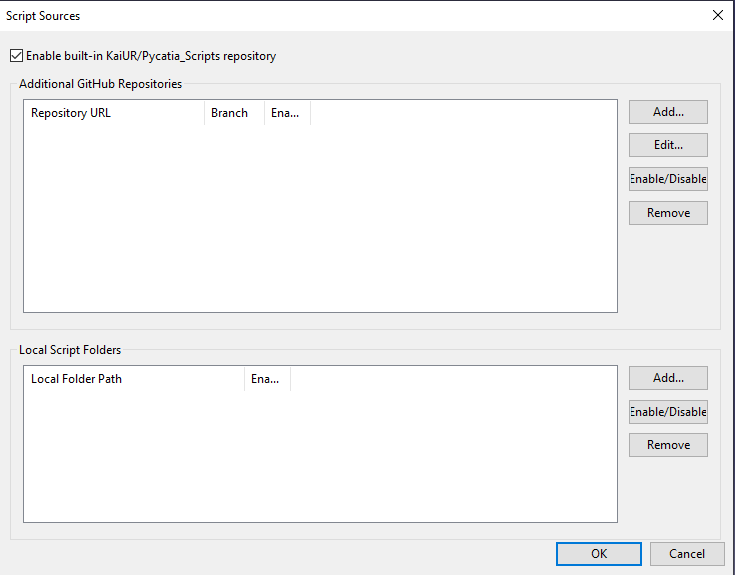
- Add your own sources — connect additional GitHub repositories or local folders alongside the built-in scripts
- Quick Launch Bar — floating button bar sourced from your Favourites; stays above CATIA and hides when CATIA is not open. Show or hide it from any application with a configurable hotkey (
Ctrl+Alt+Q) - Secure — every HTTPS connection validates the server certificate; every script is SHA-verified before running
Documentation
- User Guide — installation, settings, sources, running scripts, favourites, search, hiding scripts
- FAQ — common questions about installation, sync, scripts, and configuration
- Developer Guide — building from source, project structure, releasing
- File Reference — source files, structs, functions, constants
- Changelog — release history
- Contributing
- Privacy Policy
Screenshots
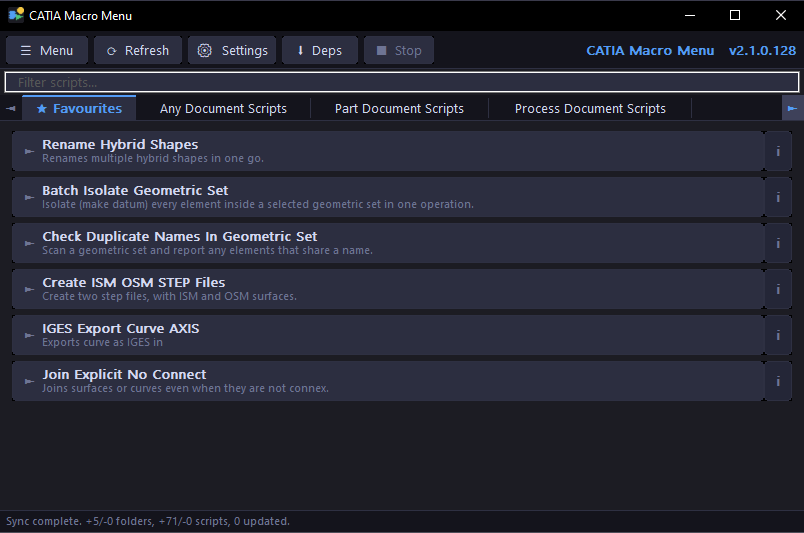
Dark Mode
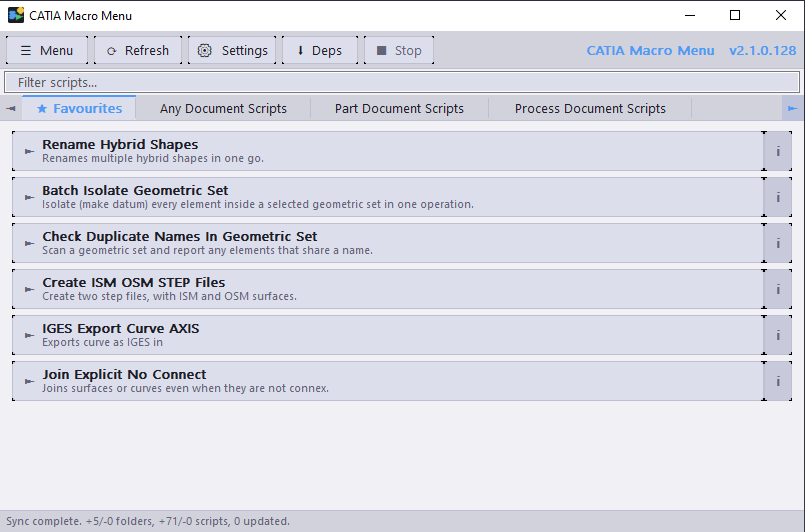
Light Mode
Quick Launch Bar


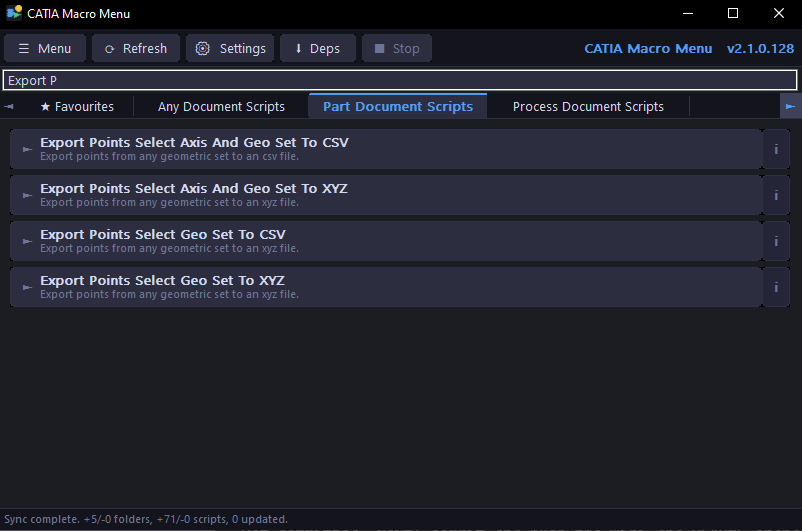
Search / Filter
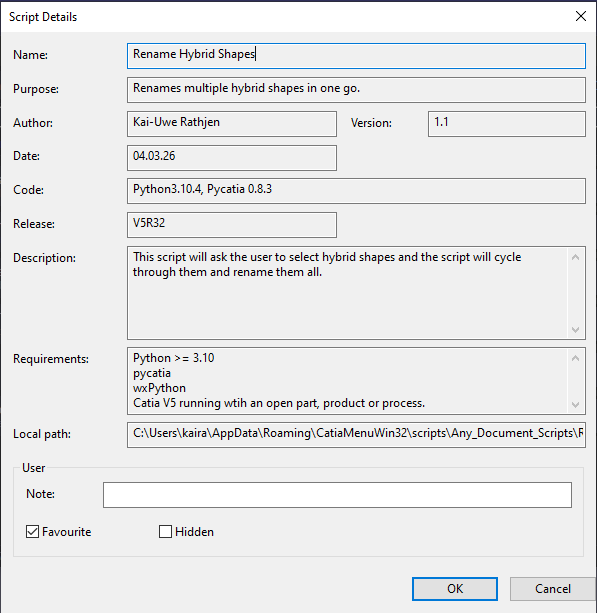
Script Details
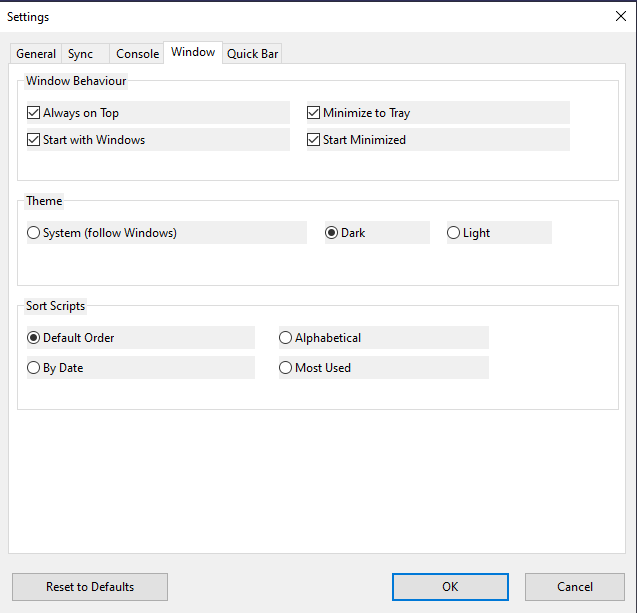
Settings
Script Sources
Key Features
| Feature | Detail |
|---|---|
| Live GitHub sync | Fetches repo structure and compares SHA hashes — only downloads changed files |
| Offline cache | Scripts load from disk immediately on startup — works without internet |
| Dynamic tabs | Folder additions and removals in the repo are detected automatically; no recompile needed |
| Search/filter | Real-time filter bar — find scripts by name or purpose instantly |
| Favourites tab | Star any script; a dedicated Favourites tab appears automatically |
| Quick Launch Bar | Floating button bar sourced from your Favourites — drag anywhere, always on top, hides when target app is not open |
| Target app tracking | Bar rises to topmost when CATIA gains focus; hides when CATIA is closed or minimised |
| Quick Bar hotkey | System-wide hotkey toggles the bar from any application — default Ctrl+Alt+Q, fully configurable |
| Script details | Right-click any script to see full header info, add notes, hide, or favourite |
| Script info tooltip | Hover the i badge on any button to see Purpose, Author, Version, Date, and Description |
| Script notes | Per-script user notes stored locally |
| Hide scripts | Right-click → Hide Script; restore via Menu → File → Manage Hidden Scripts |
| Sort scripts | Sort by Default, Alphabetical, By Date, or Most Used |
| Run with arguments | Right-click → Run with Arguments to pass custom CLI arguments |
| Stop running script | ■ Stop toolbar button terminates a running background script instantly |
| Multiple sources | Add extra GitHub repos or local folders; same-named folders merge into one tab |
| Security | Certificate validation + SHA verification on every script before execution |
| Single instance | Launching a second copy brings the existing window to the front |
| Always on Top | Window stays above CATIA — click scripts without alt-tabbing |
| System Tray | Minimise to tray; restore with a double-click |
| Start with Windows | Autorun via registry with optional start-minimised flag |
| Auto-refresh | Background sync every N hours (default 6); configurable in Settings |
| Auto-update | Optionally download and install new versions automatically |
| Update Dependencies | One-click install of all script dependencies via the built-in Deps button |
| Dark / Light / System theme | Follows Windows theme by default; toggle via Menu → View → Theme |
Requirements
- Windows 10 or later
- Python 3.9+ — download from python.org
- PyCATIA —
pip install pycatia(or use the built-in ↓ Deps button) - CATIA V5 — must be running for scripts that interact with it
Quick Links
Author: Kai-Uwe Rathjen — MIT License — AI assistance by Claude